Even as design tools and digital media keep changing, vector graphics are still a key part of modern illustration. They combine precision, flexibility, and scalability in one format. The same vector file can be used for a tiny app icon or a huge billboard. In the following, we explain why vector graphics is reliable for every design.
Scalability and Resolution Independence
Vector images stay sharp at any size. This is one of their most important advantages. When you zoom or enlarge a vector illustration, you see smooth edges rather than pixels. In contrast, enlarging a bitmap photo will eventually blur it. For designers who create work that might appear on a tiny phone screen or a giant billboard, vector art guarantees consistent quality. Modern needs like high-DPI (Retina) displays make this even more critical. An SVG or AI file on a web page will always render crisply, no matter the screen resolution.
Unlike a photo, a logo needs to be resized constantly. Similarly, infographics and charts created as vector graphics are easy to update and adapt for different contexts. Because vectors use defined shapes, it’s also easier to change colours globally, swap out text, or translate labels without rebuilding the image.
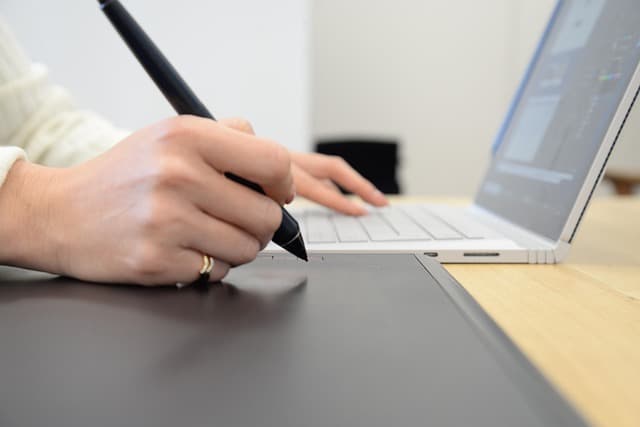
From an aesthetic viewpoint, many modern illustration styles are naturally vector-friendly. Simple shapes and clean lines are what these types of programs handle best. Even illustrators using tablets often trace or clean up their artwork into vector form for a polished finish.
Vector illustration reduces paper drafts, which is an additional advantage for the environment.
Because vectors aren’t made of fixed pixels, they also yield lighter file sizes for many illustrations. A logo or icon drawn in this format can only be few kilobytes, containing the most necessary path data. This efficiency speeds up workflows (faster saves, transfers, and render times) and makes vector art ideal for responsive web design.
Editability and Precision in Vector Tools
Vector graphics make it easy to edit your work without damaging anything. Each shape or line is its own object, so you can independently:
- Move – reposition any object on the canvas without affecting other elements.
- Resize – scale shapes up or down while keeping them crisp and proportional.
- Recolor – quickly change fill, stroke, or gradients to test different colour schemes.
- Reshape – adjust curves, corners, and paths to refine the exact look of your illustration.
This kind of control lets you experiment and refine your designs quickly instead of starting from scratch. For example, you can change a character’s colour in a complex illustration while the rest of the composition stays exactly the same.
Integration in Modern Design Workflows
Vector graphics are deeply integrated into today’s design guidances. They align naturally with digital products and collaborative tools. For instance, responsive web and app design often use SVG (Scalable Vector Graphics) formats for logos and icons. This is an open XML-based vector format. SVG images can be rendered at any size without loss of quality. This means a single icon scales across devices (phone, tablet, desktop) with no extra work.
On the creative side, vector art is the backbone of UI/UX design. Tools like Figma use vector-based components, so interfaces adapt to different layouts. In print and publishing, designers rely on illustrations of this type for magazines, posters and packaging, as any press-ready graphic must be high-resolution.
The industry support for vectors is massive. Adobe Illustrator remains one of the most popular graphics editor in the world. Free alternatives like Inkscape and Affinity Designer also underscore the demand. For many artists, learning vector is a priority because it opens doors to diverse projects.
Integration in Modern Design Workflows
Vector graphics are deeply integrated into today’s design guidances. They align naturally with digital products and collaborative tools. For instance, responsive web and app design often use SVG (Scalable Vector Graphics) formats for logos and icons. This is an open XML-based vector format. SVG images can be rendered at any size without loss of quality. This means a single icon scales across devices (phone, tablet, desktop) with no extra work.
On the creative side, vector art is the backbone of UI/UX design. Tools like Figma use vector-based components, so interfaces adapt to different layouts. In print and publishing, designers rely on illustrations of this type for magazines, posters and packaging, as any press-ready graphic must be high-resolution.
Conclusion: The Future of Vector Graphics
Looking ahead, vectors are likely to remain relevant. High-resolution displays (4K/8K TVs, VR/AR headsets) demand graphics that don’t pixelate on close-up viewing. Vectors scale perfectly for these platforms.
Additionally, as design moves to collaborative cloud platforms, vector files (especially lightweight ones) synchronize faster among team members. Finally, vector formats like PDF or SVG can be edited long after creation, which ensures a graphic stays “future-proof” for years of use.